



 Amd GPU
 4k Gaming Monitor





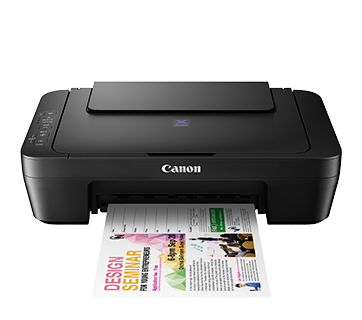
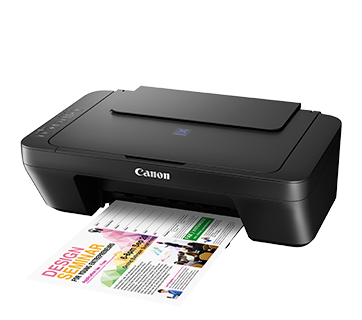
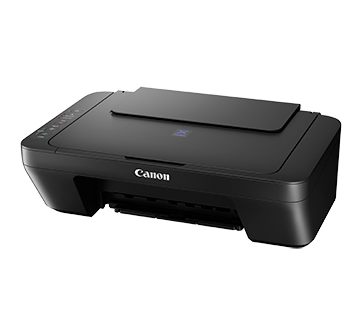
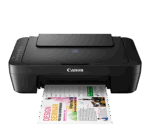
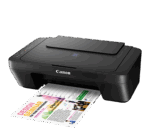
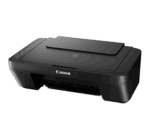
Canon PIXMA E410 All-In-One Printer
₹4,399.00
Get the Canon PIXMA E410 All-In-One Printer from Kharidiye.com at the best price. Best features includes:
| Feature | Specification |
|---|---|
| Functions | Print, Scan, Copy |
| Print Resolution | Up to 4800 × 600 dpi |
| Print Speed | 8.0 ipm (B/W), 4.0 ipm (Colour) |
| Ink Cartridges | PG-47 (Black), CL-57S (Colour) |
| Scanner Type | Flatbed, CIS |
| Scan Resolution | Optical: 600 × 1200 dpi |
| Interface | Hi-Speed USB |
| Dimensions | 426 × 306 × 145 mm |
| Weight | Approx. 3.4 kg |
About the item:
- Print, Scan, Copy
- ISO Standard print speed (A4): 4.0 images per minute (colour) / 8.0 images per minute (mono)
Out of stock
About Canon PIXMA E410 All-In-One Printer
| Category | Specification |
|---|---|
| Functions | Print, Scan, Copy |
| Print Resolution | Up to 4800 × 600 dpi |
| Print Head | FINE Cartridge with 1,280 nozzles |
| Ink Cartridges | PG-47 (Black), CL-57S (Colour); Optional: CL-57 (Colour) |
| Print Speed | ESAT: 8.0 ipm (B/W), 4.0 ipm (Colour) |
| Printable Width | Up to 203.2 mm (8 inches) |
| Paper Sizes | A4, A5, B5, Letter, Legal, 4×6″, 5×7″, Envelopes (DL, COM10), Custom sizes |
| Paper Handling | Rear Tray Capacity: 60 sheets (A4), 10 sheets (Legal) |
| Paper Weight | Plain Paper: 64–105 g/m²; Canon specialty paper: up to 275 g/m² |
| Scanner Type | Flatbed, CIS (Contact Image Sensor) |
| Scan Resolution | Optical: 600 × 1200 dpi; Selectable: 25–19200 dpi |
| Scan Speed | A4 Colour (300 dpi): Approx. 19 seconds |
| Copy Speed | FCOT: Approx. 30 seconds; ESAT: Approx. 1.8 ipm |
| Multiple Copies | 1–21 pages |
| Interface | Hi-Speed USB |
| Operating System Support | Windows 10 / 8 / 7 SP1, Windows Vista SP2; Mac OS X v10.8.5 and later |
| Operating Environment | Temperature: 5–35°C; Humidity: 10–90% RH (no dew condensation) |
| Recommended Environment | Temperature: 15–30°C; Humidity: 10–80% RH (no dew condensation) |
| Storage Environment | Temperature: 0–40°C; Humidity: 5–95% RH (no dew condensation) |
| Power Consumption | OFF: Approx. 0.4 W; Standby: Approx. 1.0 W; Printing: Approx. 9 W |
| Acoustic Noise | Approx. 46.0 dB(A) during PC printing |
| Dimensions (W×D×H) | Approx. 426 × 306 × 145 mm |
| Weight | Approx. 3.4 kg |
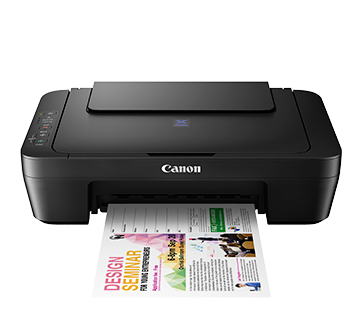
All-in-One Functionality of the Canon Pixma Series Desktop Printer
-
Versatile Operations: The PIXMA E410 combines printing, scanning, and copying capabilities in a single device, catering to diverse document handling needs.
-
User-Friendly Interface: Designed for ease of use, it simplifies tasks for users of all experience levels.
Low-Cost Cartridges in the Canon Pixma Series Desktop Printer
-
Affordable Ink Solutions: Utilizes cost-effective ink cartridges, reducing overall printing expenses without compromising quality.
-
High Page Yield: The PG-47 black cartridge offers up to 400 pages, while the CL-57S color cartridge yields up to 180 pages, ensuring longer intervals between replacements.
Auto Power ON Feature present in the Canon Pixma Series Desktop Printer
-
Energy Efficiency: Automatically powers on upon detecting a print command via USB, conserving energy when idle.
-
Convenient Operation: Eliminates the need for manual power-up, streamlining the printing process.
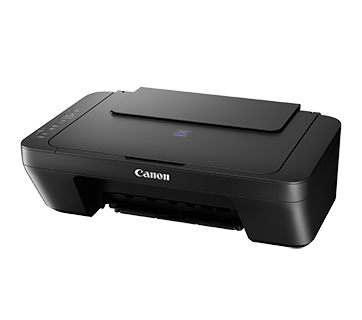
Compact and Lightweight Design of the Canon Pixma Series Desktop Printer
-
Space-Saving Dimensions: With measurements of approximately 426 x 306 x 145 mm, it fits comfortably in small spaces.
-
Portability: Weighing around 3.4 kg, it’s easy to move and reposition as needed.
Printing Performance by the Canon Pixma All-In-One Desktop Printer
-
High Resolution: Delivers crisp and clear prints with a maximum resolution of 4800 x 600 dpi.
-
Efficient Speed: Prints black-and-white documents at approximately 8.0 images per minute (ipm) and color documents at about 4.0 ipm.
-
Quiet Mode: Operates with reduced noise levels, making it suitable for quiet environments.
Scanning and Copying Capabilities of the Canon Pixma All-In-One Desktop Printer
-
Optical Scanning Resolution: Provides detailed scans with an optical resolution of 600 x 1200 dpi.
-
Quick Scanning: The Canon PIXMA E410 All-In-One Printer scans an A4 color document at 300 dpi in approximately 19 seconds.
-
Copy Functionality: Offers a first-copy-out time of around 30 seconds and supports multiple copies (1–21 pages).
Paper Handling possible in the Canon Pixma Affordable Computer Printer
-
Versatile Media Support: Accommodates various paper sizes, including A4, A5, B5, Letter, Legal, and custom sizes.
-
Rear Tray Capacity: Holds up to 60 sheets of plain A4 paper, facilitating uninterrupted printing sessions.
Connectivity and Compatibility of the Canon Pixma Series Desktop Printer
-
USB 2.0 Interface: Ensures fast and reliable connections to computers.
-
Operating System Support: Compatible with Windows 10, 8, 7 SP1, Vista SP2, and Mac OS X v10.8.5 and later.
Energy Consumption by the Canon Pixma Series Desktop Printer
-
Power Efficiency: Consumes approximately 0.4 W when off, 1.0 W in standby mode, and 9 W during printing or copying, contributing to lower energy bills.
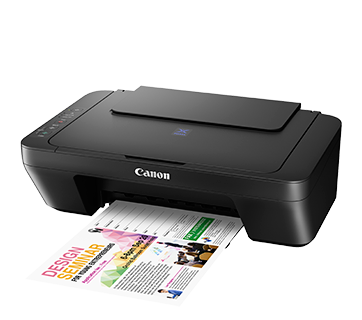
Practical Applications of the Canon PIXMA E410 All-In-One Printer
Home Use
-
Educational Needs: Ideal for students requiring regular printing of assignments, projects, and study materials.
-
Personal Documents: Suitable for printing personal documents, photos, and recipes.
Small Office/Home Office (SOHO)
-
Business Documents: Efficiently handles invoices, reports, and correspondence.
-
Space-Conscious Setup: Fits seamlessly into limited office spaces without compromising functionality.
Creative Projects
-
Photo Printing: Capable of producing high-quality photo prints for personal or professional use.
-
Crafting: Supports various paper types and sizes, accommodating diverse creative endeavors.
The Canon PIXMA E410 All-In-One Printer stands out as a reliable, cost-effective, and user-friendly solution for everyday printing, scanning, and copying tasks.
Its compact design, combined with efficient performance and low operating costs, makes it a valuable addition to any home or small office environment.


Related products
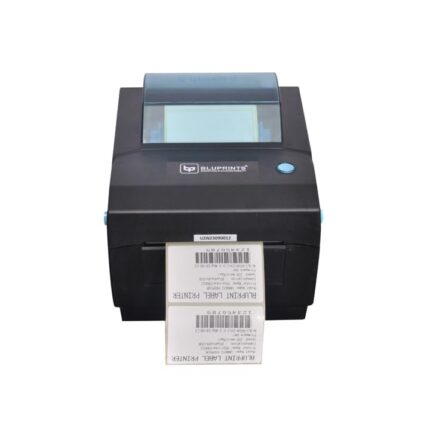
BluPrints Aakarsh Premium USB+Bluetooth Smart Desktop Thermal Barcode-QR Code Printer Thermal Receipt Printer
| Brand | BLUPRINTS INNOVATIONS IN BUSINESS MOBILITY |
| Connectivity Technology | Bluetooth |
| Printing Technology | Thermal |
| Special Feature | Portable |
| Colour | black |
| Model Name | AAkarsh |
| Printer Output | Monochrome |
| Maximum Print Speed (Colour) | 150 ppm |
| Max Print speed Monochrome | 150 ppm |
| Product Dimensions | 25D x 20W x 10H Centimeters |
- Supported apps: Vyappar, Mybillbook, Khatabook, Zomato, Swiggy, PhonePay, Gpay
- 125+ Service Centres Accorss India
- More than 4L+ Satisifed Customers
- Made in India Product
- Can Print any kind of Barcode, QR Code, Image, EAN, etc
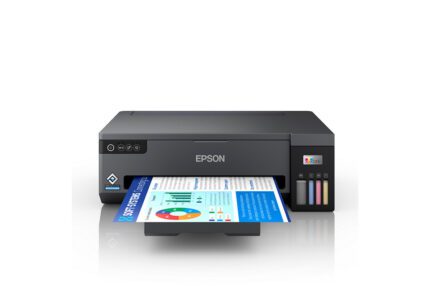
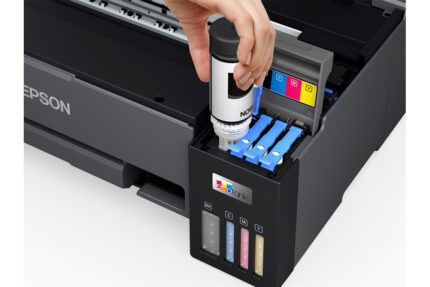
Epson EcoTank L11050 InkTank A3+ Printer
| Feature | Details |
|---|---|
| Ink System | 4-colour dye-based inks |
| Maximum Print Size | A3+ |
| Print Speed | Up to 15 ppm (Black), 8 ppm (Colour) |
| Print Resolution | 4,800 x 1,200 DPI |
| Connectivity | Wi-Fi, Wi-Fi Direct, USB |
| Additional Features | Compact design, Epson Smart Panel app compatibility |
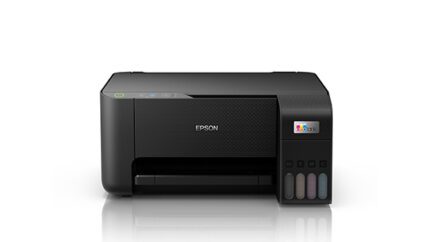
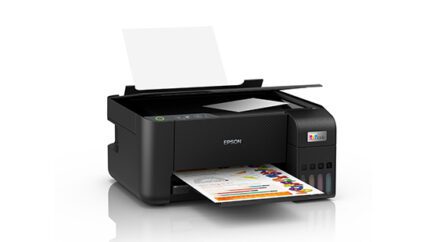
Epson EcoTank L3210 A4 All-in-One Ink Tank Printer
| Specification | Details |
|---|---|
| Functions | Print, Scan, Copy |
| Print Resolution | Up to 5760 x 1440 dpi |
| Print Speed | Up to 33 ppm (Black), 15 ppm (Colour) |
| Scanner Type | Flatbed Colour Image Scanner |
| Connectivity | USB 2.0 |
| Paper Capacity | 100 sheets input, 30 sheets output |
| Dimensions (L x W x H) | 375 x 347 x 179 mm |
| Weight | 3.9 kg |
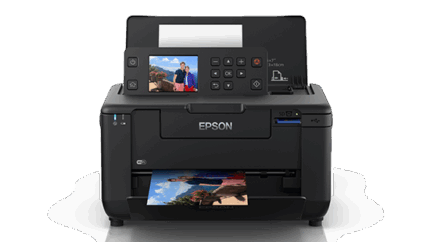
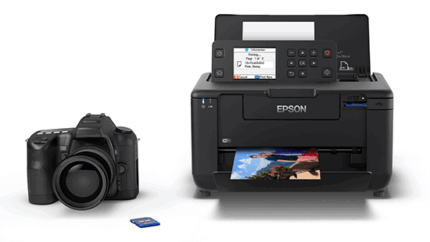
Epson PictureMate PM-520 Photo Printer
| Feature | Details |
|---|---|
| Print Resolution | Up to 5760 x 1440 dpi |
| Print Speed | Approx. 36 seconds per 4x6" photo |
| Connectivity | Wi-Fi, Wi-Fi Direct, USB 2.0 |
| Display | 2.7" Color LCD |
| Weight | 2.3 kg |
-
High-Quality Prints: Delivers sharp and vibrant photos with a maximum resolution of 5760 x 1440 dpi, ensuring detailed and long-lasting prints.
-
Portability: Compact and lightweight design (2.3 kg) with an optional rechargeable battery, making it ideal for on-the-go photo printing.
-
Versatile Connectivity: Supports Wi-Fi, Wi-Fi Direct, and USB 2.0, allowing for seamless printing from various devices without the need for a PC.
-
User-Friendly Interface: Equipped with a 2.7" color LCD screen for easy navigation, photo selection, and editing directly on the printer.
-
Flexible Media Handling: Accommodates multiple paper sizes, including A5, A6, and various photo sizes, with borderless printing capabilities.
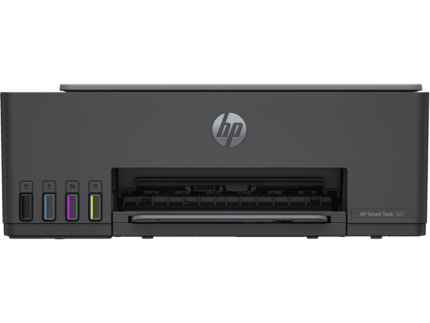
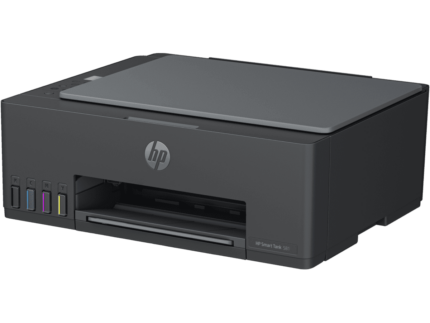
HP Smart Tank 581 All-in-One Printer
| Specification | Details |
|---|---|
| Functions | Print, copy, scan |
| Print Speed (Black, ISO) | Up to 12 ppm |
| Print Speed (Color, ISO) | Up to 5 ppm |
| Print Technology | HP Thermal Inkjet |
| Display | 33 segments + 1.2-inch iCON LCD Display |
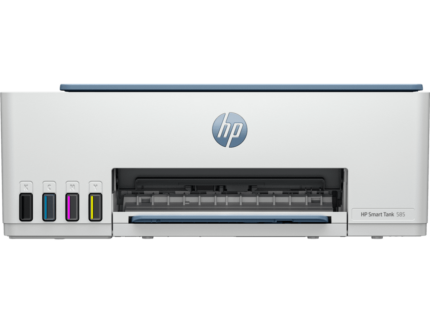
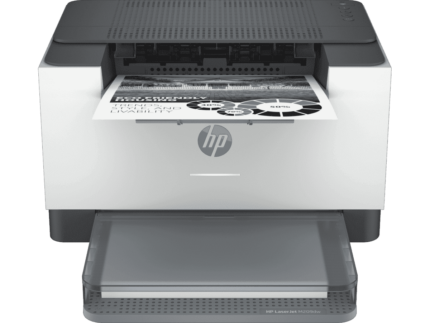
HP Smart Tank 585 All-in-One Printer
| Specification | Details |
|---|---|
| Functions | Print, copy, scan |
| Print Speed (Black, ISO) | Up to 12 ppm |
| Print Speed (Color, ISO) | Up to 5 ppm |
| Print Technology | HP Thermal Inkjet |
| Display | 33 segments + 1.2-inch iCON LCD Display |

Reviews
There are no reviews yet.